Tellbyte

Introducing Orbyte, a full platform built to help businesses scale and launch custom AI automations.

TellByte

Consumer AI Product Case Study

Xecute Fitness

Turning fitness intent into a finished day through Gary, a calendar-first workflow, and private squad accountability.

Build the plan with Gary, run it from your calendar, repair what changes, and close the day with a clear X instead of another forgotten tracker. Xecute is a daily operating system for serious routines.

Role

Product Designer / Founder

Focus

Consumer mobile UX, Gary the AI coach, calendar-first workflow, private squads

Platform

Mobile app (iPhone live) + web

System

Gary, calendar, workouts, meal scan, reminders, progress, private squads

Status

Live in early access - get on xecutefitness.com

Product preview

What Xecute looks like, with Gary on board.

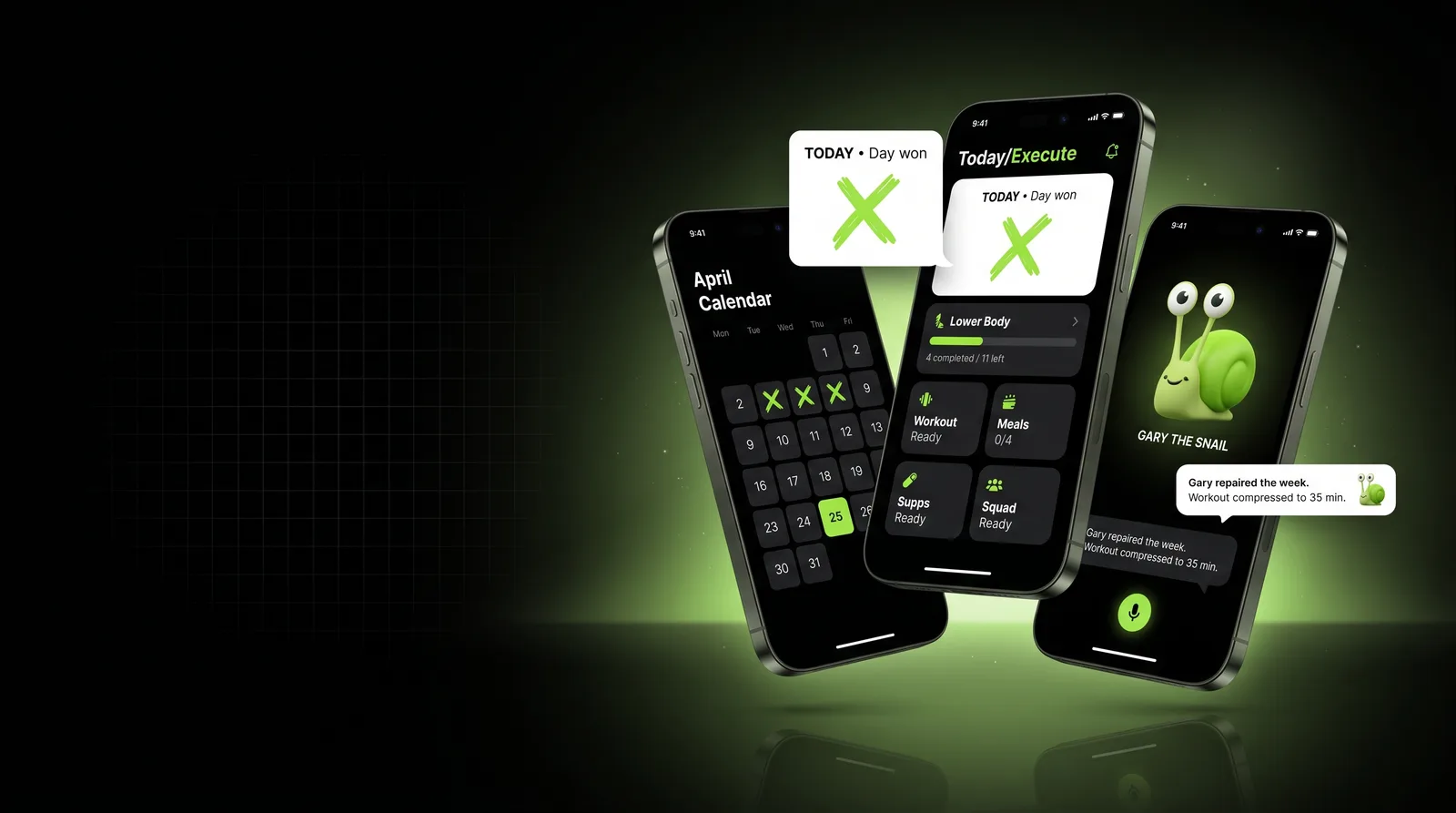
Xecute Hero - three floating phones showing April Calendar, Lower Body Execute card, and Gary the Snail chat with TODAY Day won badge and Gary repaired the week callout

Why this project matters

From fitness intention to daily execution.

Most fitness apps track fragments. People do not fail because they lack goals - they fail because the plan is scattered, hard to follow, and impossible to repair when life changes. Xecute was designed around a simpler question: how does an app turn intent into a finished day, every day?

01

The Planning Problem

Users often know what they want but do not know how to turn that goal into a structured monthly plan.

02

The Consistency Problem

Motivation changes day to day, so the product needs to support routine, reminders, and recovery after missed days.

03

The Personalization Problem

Generic plans do not always match a user's schedule, fitness level, food habits, training style, or progress.

User and use case

Designed for people who need structure, accountability, and adaptation.

Primary Users

Everyday liftersPersonal trainersCoachesGym ownersPrivate squad membersCreatorsBrand or partner accounts

User goal

Turn a fitness goal into a structured routine with workouts, meals, reminders, notes, checklists, and progress tracking.

Pain Points

  • Unsure what workout to do today
  • Plans are too generic
  • Meal tracking can feel annoying or time-consuming
  • Missed days create guilt and confusion
  • Calendar and workout tracking are disconnected
  • Progress is hard to interpret
  • Apps often track data but do not help users adjust behavior

Design principle

The interface should remove decision fatigue. The user should open the app and immediately understand what to do today, what is complete, what is missed, and what should change next.

The core workflow

The product workflow.

01

Set the Goal

User sets the goal, training style, schedule, meal preferences, and routine constraints in a 4-week plan builder.

02

Build the Plan

Gary turns the goal into a structured 4-week plan with workouts, meals, reminders, and progress checkpoints.

03

Follow the Calendar

The plan lives in a today-first calendar so users see workouts, meals, and reminders at a glance.

04

Follow the Day

The day card surfaces today's workout, meal goals, supps, notes, and squad status in one place.

05

Adjust with Gary

Gary repairs the week - moves missed sessions, compresses workouts, adjusts meals - instead of forcing a restart.

06

Earn the X

Close the day with a hand-drawn X. The day is won. Streak, adherence, and progress connect to next steps.

The workflow was designed to move users from goal setting to daily action without forcing them to build or interpret the plan manually.

UX challenge

The challenge was not tracking fitness. It was reducing decision fatigue.

Problem statement

Many fitness products give users tools, charts, exercise libraries, and tracking fields, but still leave them wondering what to do next. When users miss a day or lose momentum, the product often fails to guide them back into the routine.

Design goal

Create an experience that helps users answer:

  • What is my goal?
  • What is my plan this month?
  • What do I need to do today?
  • What have I completed?
  • What did I miss?
  • What should change next?
  • How do I get back on track?

“The product wins when the user closes the day. Everything else - calendar, Gary, squads, scans - is in service of that one ritual: earn the X.”

Website build

The marketing site that ships the product.

Drag through the six core sections of the live xecute.fit marketing site: early access · daily operating system · calendar showcase · core system · meal scan · live sessions.

F1
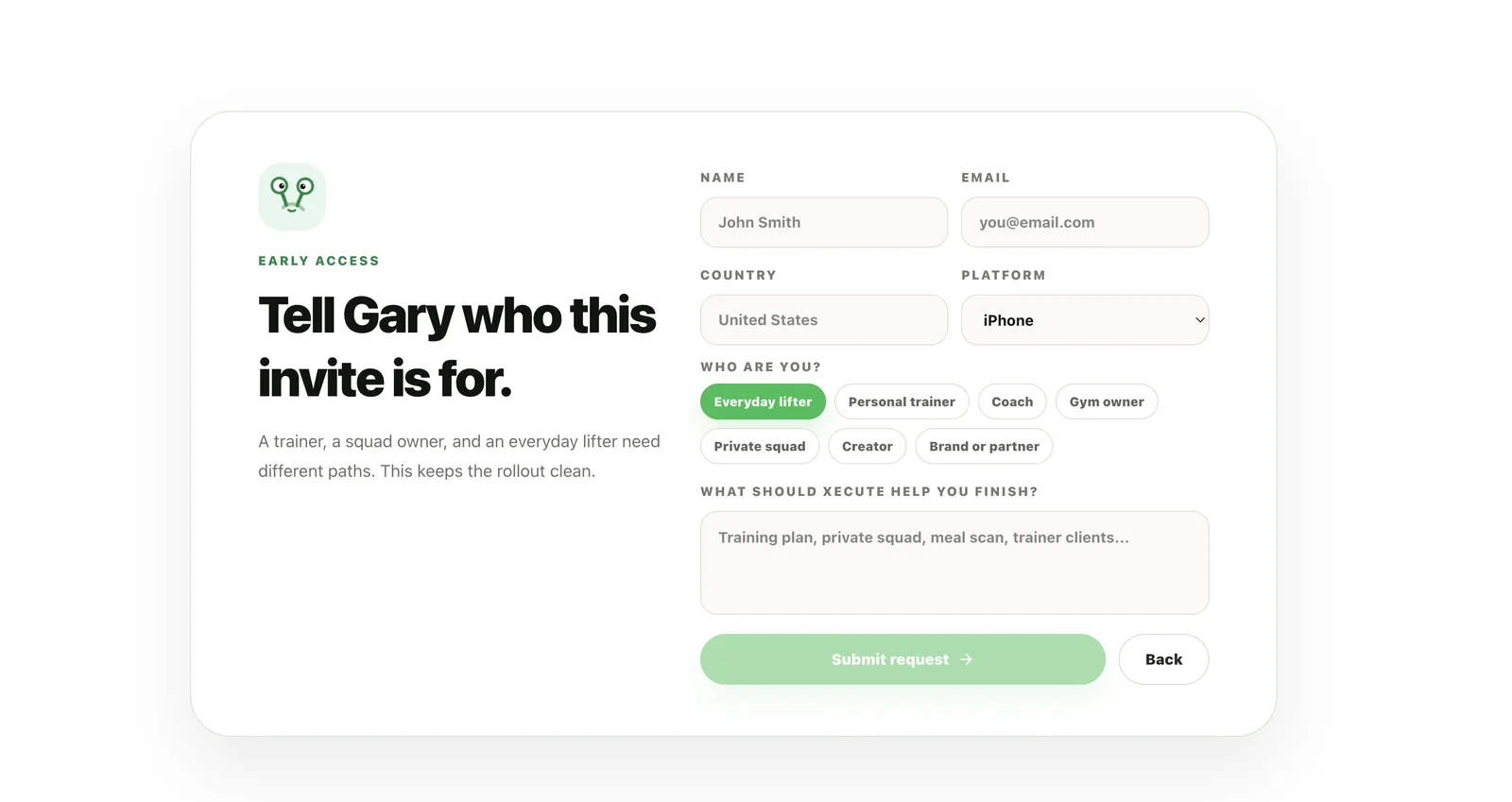
Xecute Early Access form - Tell Gary who this invite is for, with name, email, country, platform, user type pills, and intent textarea

F1 · Frame

4-Week Plan Builder

Guided onboarding captures goal, training style, schedule, meals, and constraints. Gary uses this to build a real plan, not a generic template.

F2
Xecute - A daily operating system for serious routines, with 5-step flow: Set the goal, Build the plan, Follow the day, Adjust with Gary, Earn the X

F2 · Frame

Gary Plans and Repairs

Gary explains the plan, answers questions, and repairs the week when sessions are missed - moves work, compresses sessions, adjusts meals.

F3
Xecute product showcase - phone mockup with April calendar, Execute card showing Lower Body progress, and module descriptions for Home, Calendar, Progress, Squads

F3 · Frame

Calendar that Leads

A today-first calendar surface for workouts, meals, and reminders. The app opens here, not a menu of disconnected trackers.

F4
Xecute Core System - Everything is built around follow-through. Six feature cards covering Gary, calendar, nutrition, progress, squads, and privacy.

F4 · Frame

Core System

Six layers that keep the user on track: Gary plans and repairs, a calendar that leads, nutrition with context, progress without clutter, private squads, sensitive tracking stays private.

F5
Xecute Meal Scan - Gary looks at the plate and turns it into a plan decision. Scan, estimate, adjust. With calorie and macro readout.

F5 · Frame

Meal Scan with Gary

Camera-first meal scan where Gary reads the plate into calories and macros, with a contextual read on how it fits today's plan.

F6
Xecute Live Session - No cheating, earn it. Gary-led sessions where friends and squads run a workout together and upload proof.

F6 · Frame

Live Session + Earn the X

Friends and squads run a session together, upload proof, and close the day with a clear X. Gary watches the challenge and flags anything that needs more proof.

Drag or scroll6 frames

Final product experience

A mobile experience built around clarity, consistency, and action.

Mobile journey

One day, five steps. Goal to earned X.

The full daily loop: set the goal, build the plan with Gary, follow the calendar, adjust the day when life shifts, and close it with a hand-drawn X. The product wins when the user closes the day.
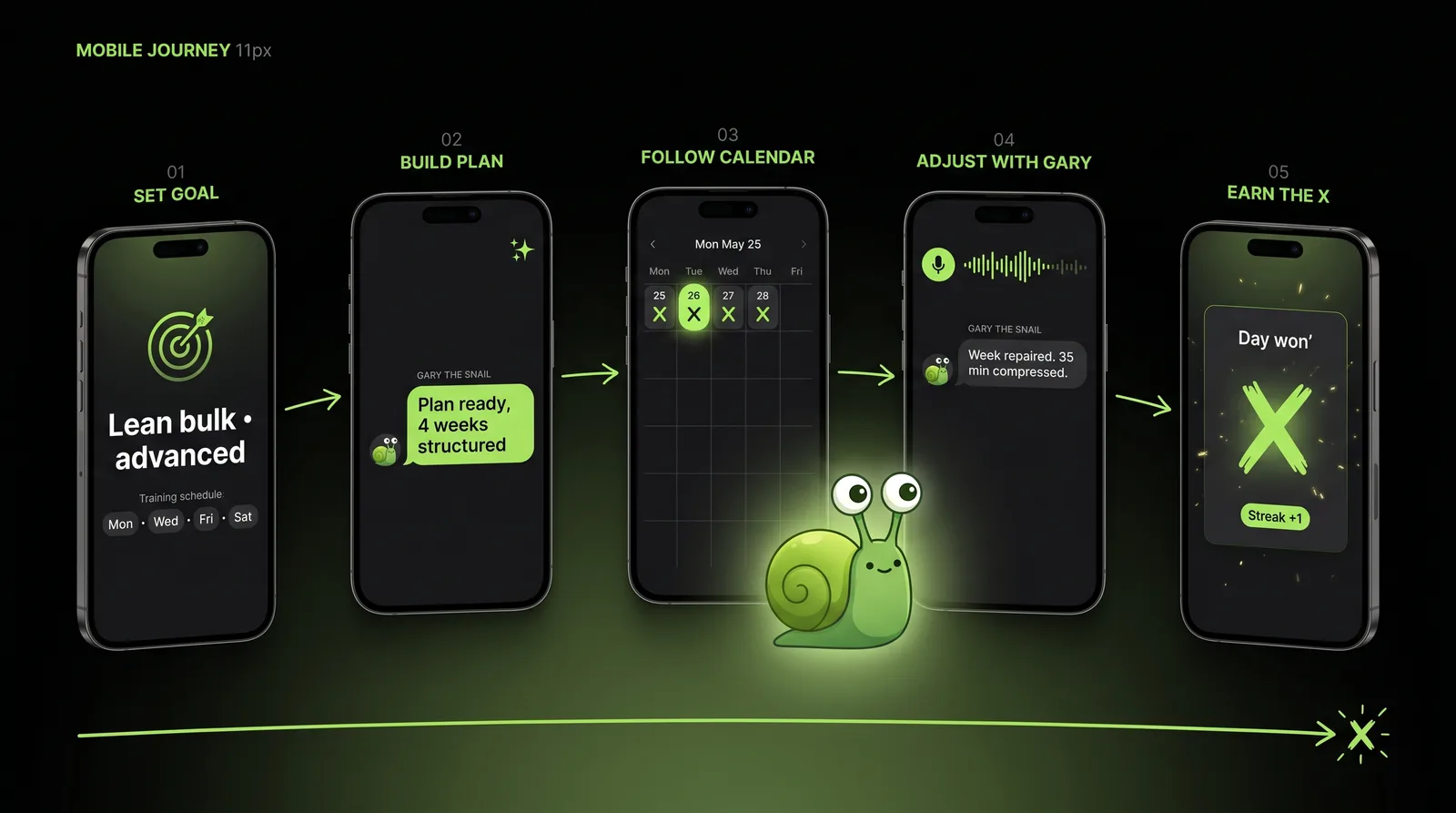
Xecute mobile journey - 5 floating phone mockups numbered 01 to 05 showing Set Goal, Build Plan with Gary, Follow Calendar, Adjust with Gary, and Earn the X. Connected by a flowing lime green path with Gary the frog mascot overseeing from above.

Gary plans and repairs

Move missed sessions, compress workouts, adjust meals, and keep the week intact instead of restarting.

A calendar that leads

The app opens around today, not a menu of disconnected trackers. The next action is always visible.

Nutrition with context

Camera-first meal scan reads the plate. Calories, macros, meals, and body trends stay tied to the plan.

Progress without clutter

Adherence, strength, bodyweight, body composition, streaks, and consistency in one clean surface.

Private squads

Invite-only accountability with support mode, rank mode, and weekly challenges. Friends keep friends honest.

Sensitive tracking stays private

Private protocol reminders and logs are excluded from squads and leaderboards - privacy is the default.

Live sessions with proof

Run a workout together. Gary watches the challenge, verifies completion signals, and flags anything that needs more proof.

Earn the X

Close the day with a hand-drawn X. Day won. The ritual that turns intent into a finish line every day.

Mobile UI surfaces

Inside the app - the real shipped surfaces, not marketing.

Eight phone screens that show how the calendar, day card, Gary, meal scan, live sessions, progress, and competition fit together into one daily operating system.

Home wireframe sketchXecute Home screen - Today's plan with May calendar, Pull Day card showing 0 of 17 complete, Close adjusted and Adjust with Gary buttons, and Meal Scan preview at the bottom

Home

Today's plan, the day card, and Gary's next read in one scroll.

Hover to see live app

Calendar wireframe sketchXecute Calendar screen - May 2026 month grid with two earned X days, the selected Tuesday May 26, and the planned Pull Day workout below

Calendar

The planning surface. Earned X days, planned days, and the next finishable action.

Hover to see live app

Day card wireframe sketchXecute Gary Session card - Founders Lift Club session with proof pending, invite flow for 3 athletes, Workout Pull Day 70 min, Meals 0 of 4 at 2826 cal, Supps, Reminders, Streak, Consistency, Done counters, and Gary check-in note about recovery

Day card

Workout, meals, supps, reminders, streak, and Gary's check-in - one screen per day.

Hover to see live app

Ask Gary wireframe sketchXecute Ask Gary modal - Quick coaching for Tuesday May 26, Voice chat card with waveform, Voice note and Send voice buttons, Gary message explaining what he can adjust, and an Adjust this day with Gary button

Ask Gary

Voice or text coaching. Adjust the day, log meals, add work, merge buddy sessions.

Hover to see live app

Meal scan wireframe sketchXecute Scan Meal modal - Gary meal scan with dashed camera area, Gary is looking pill with eye dots, Let Gary scan your meal copy, and a Try demo scan button

Meal scan

Camera-first scan with Gary's eyes. Estimates stay editable before logging to the day.

Hover to see live app

Compete wireframe sketchXecute Competition screen - Accountability only intro, Squads/Challenges/Leaderboard tabs, Gary Live Session with proof pending and 12 runs, Friend name input, Challenge friend and Start squad run buttons, and a shareable session link

Compete

Private squads, live sessions, verified proof. No noisy public feed.

Hover to see live app

Progress wireframe sketchXecute Progress screen - body composition history with April 28 mid-cycle scan and March 31 baseline, Training rhythm bar chart W1 through W5, Lift PRs section, and Consistency at 29 percent

Progress

Body trends, training rhythm, lift PRs, and consistency - tied to the plan.

Hover to see live app

Profile wireframe sketchXecute Profile screen - Plan setup, buddy, and account with Omar Samad lean bulk advanced, weight no data, target 180 lbs, AI balanced, and menu items for Build plan, Workout templates, Membership Xecute Pro $35 per month, Training buddy, Body composition, and Gary voice

Profile

Plan setup, training buddy, body composition, Gary voice, and membership.

Hover to see live app

Drag or scroll8 surfaces

Meet Gary

The AI coach with character - and a job.

Gary is the AI layer behind Xecute - a coach with a small character and a clear job: plan the week, repair it when life changes, read the plate, and keep the user pointed at the next finishable action. Gary does not sit in a separate chatbot tab. Gary is wired into the calendar, the day card, the meal scan, and live sessions.

01

Gary plans

Goal, training style, schedule, meals, and constraints become a structured 4-week plan that lives in the calendar.

02

Gary repairs

When sessions are missed, Gary moves work, compresses workouts, and adjusts meals - the week stays intact instead of restarting.

03

Gary reads the plate

Camera-first meal scan turns a photo into calories and macros, with Gary's read on how it fits the day's plan.

“Gary is not a gimmick mascot. Gary is the part of the product that turns intent into a finished day, even when life gets in the way.”

Where Gary could go next

Future AI directions, framed as opportunities.

These are not shipping promises. They are directions where Gary could strengthen onboarding, daily check-ins, and recovery without replacing the user's own judgment.

01

Voice check-ins with Gary

Talk to Gary to update progress, ask questions, or close the day without opening the keyboard.

02

Predictive week repair

Gary anticipates which days are at risk and prepares lighter alternatives before the week unravels.

03

Pattern-aware suggestions

Detect which days, times, or weeks users commonly miss and proactively suggest schedule changes.

04

Squad-aware coaching

Gary can use squad signals - within privacy limits - to suggest when to lean on support mode or rest.

Design decisions

Key design decisions.

01

Calendar as the core interface

The calendar gives users a clear visual structure for the month and makes the plan feel real.

02

Today before everything else

The app prioritizes the current day so users always know what action matters now.

03

AI connected to the workflow

The AI coach is tied to goals, calendar, workouts, meals, and progress instead of sitting as a separate chatbot.

04

Completion states are visible

Completed, missed, skipped, and upcoming tasks are clearly separated to reduce confusion.

05

Recovery over guilt

The experience should help users continue after missed days instead of making them feel like they failed.

06

Flexible structure

Users can follow the plan but still edit workouts, meals, reminders, and tasks as needed.

07

Simple tracking first

The product avoids overwhelming users with too much data before they build consistency.

08

Progress becomes guidance

Progress views should help users understand what to change, not only show charts.

Before and after

Before: scattered habits. After: guided execution.

Before

  • Goals stored in the user's head
  • Workouts scattered across notes or apps
  • Meal tracking disconnected from training
  • No clear daily plan
  • Missed days create confusion
  • Progress is hard to interpret
  • Generic plans do not adapt
  • Motivation fades without structure

After

  • Guided goal setup
  • AI-generated monthly plan
  • Calendar-based execution
  • Simple daily action list
  • Workout and meal support in one place
  • Completion and missed-day tracking
  • Adaptive AI coaching
  • Progress connected to next steps

Relevance to consumer AI products

Why this matters for consumer product design.

Xecute is not only a fitness app concept. It is a consumer AI workflow designed to help people turn information into action. The same product design challenge appears across many consumer products: users need timely guidance, simple decisions, personalization, and confidence in what to do next.

This type of workflow thinking is relevant for products that rely on
PersonalizationAI assistanceCalendar-based planningDaily decision supportMobile-first UXHabit loopsNotificationsProgress trackingHuman controlAdaptive recommendations
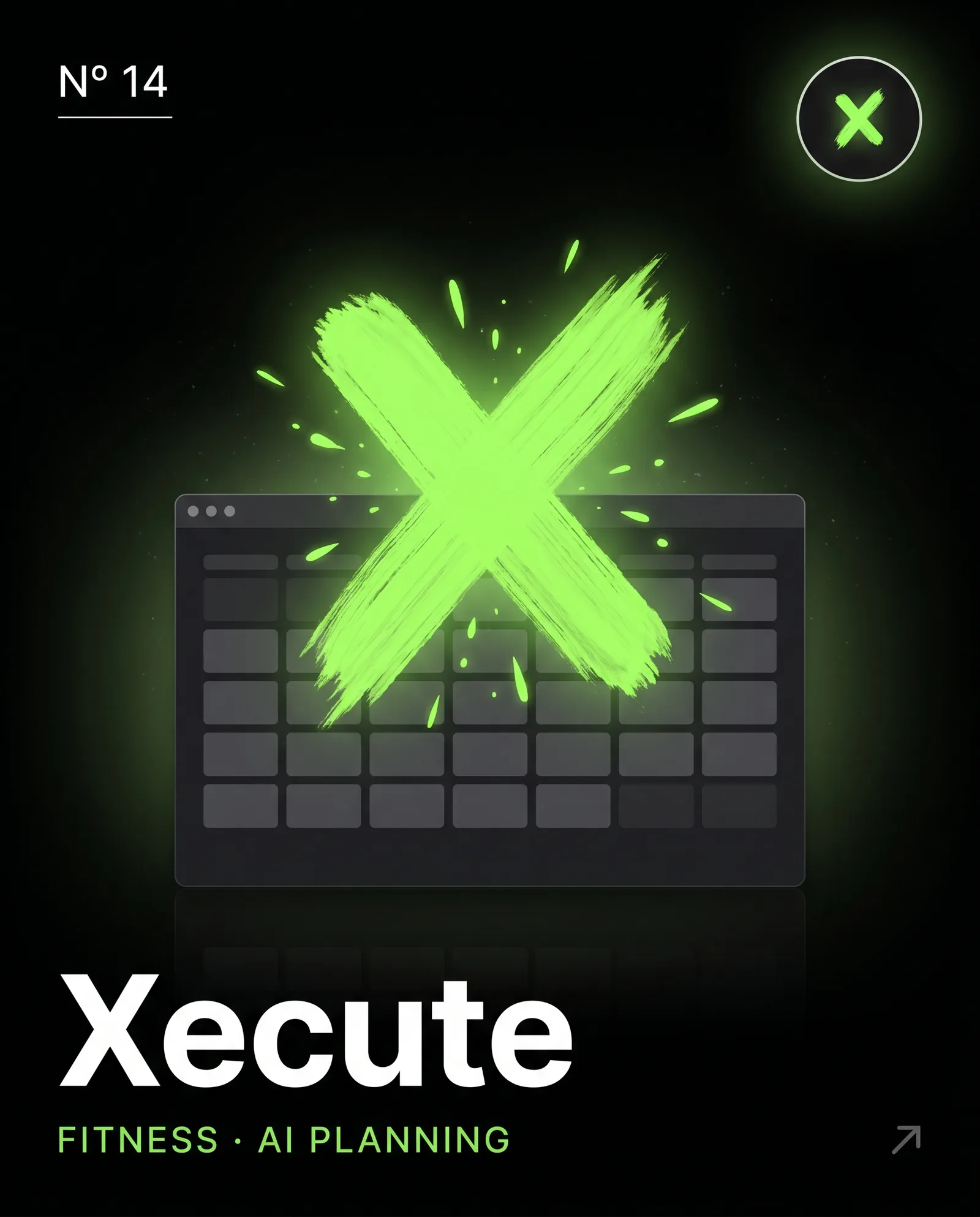
Xecute portfolio cover - N° 14 dark editorial card with a large glowing lime green hand-drawn X over a dashboard calendar mockup, Xecute wordmark and Fitness AI Planning subtitle

Reflection

What I would carry forward.

The biggest lesson from Xecute is that AI is most useful when it supports the user's real behavior. A product should not only generate a plan. It should help users execute, recover from missed days, understand progress, and adapt over time. For consumer products, trust comes from clarity, consistency, and guidance that feels useful in the moment.

AI should support behavior, not just generate output.

A strong AI product helps users act, adjust, and stay consistent.

The daily view is where the product wins.

Consumer apps need to make the next action obvious and easy.

Personalization needs structure.

Users need flexible guidance, but the interface still has to feel simple and controlled.

Designed for daily execution

Designed for daily execution.

Xecute is the kind of product work I enjoy most: consumer AI with character (Gary), a calendar-first mobile experience, private accountability, and a daily ritual that turns intent into a clear finish line - the X.